Deploying and Optimizing Sitecore Marketplace Apps: Production Best Practices

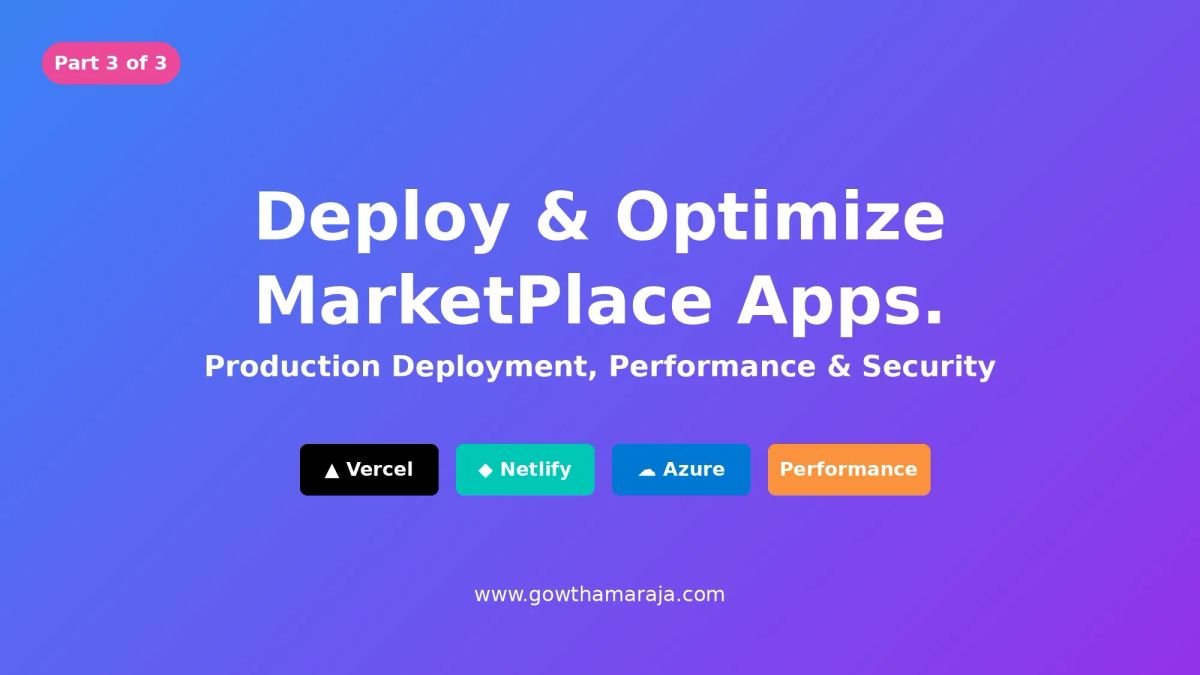
We've built our Marketplace app, integrated it with XM Cloud APIs, and tested it locally. Now comes the most critical part—deploying to production and making sure it performs flawlessly for your users.
This final part covers everything from deployment strategies to performance optimization, security best practices, and preparing for the public Marketplace.
Table of Contents
- Preparing for Production
- Deployment Strategy Overview
- Deploying to Vercel
- Deploying to Netlify
- Deploying to Azure Static Web Apps
- Updating Your App Registration
- Performance Optimization
- Security Best Practices
- Monitoring and Analytics
- Common Production Issues
- Publishing to Public Marketplace
- Final Checklist
Preparing for Production
Before deploying, let's make sure your app is production-ready.
Pre-Deployment Checklist
Code Quality:
- Remove all
console.logstatements (or use proper logging) - Fix all TypeScript errors and warnings
- Run ESLint and fix issues
- Test all features thoroughly
- Handle edge cases and error states
Performance:
- Optimize images and assets
- Implement code splitting where needed
- Remove unused dependencies
- Test bundle size (
npm run build)
Security:
- No hardcoded secrets or API keys
- Environment variables properly configured
- Input validation on all user inputs
- XSS protection in place
UX/UI:
- Loading states for all async operations
- Error messages are user-friendly
- Responsive design tested on mobile/tablet/desktop
- Accessibility basics covered (keyboard navigation, ARIA labels)
Environment Variables Setup
Create .env.production:
bash
NEXT_PUBLIC_APP_ENV=production
NEXT_PUBLIC_API_TIMEOUT=10000
NEXT_PUBLIC_SENTRY_DSN=your-sentry-dsn # if using Sentry
Add .env.local to .gitignore:
bash
# .gitignore
.env.local
.env.*.local
node_modules/
.next/
Deployment Strategy Overview
You have three main hosting options:
| Platform | Best For | Pros | Cons |
|---|---|---|---|
| Vercel | Next.js apps | Zero config, automatic, great DX | Vendor lock-in |
| Netlify | Static sites | Easy, good free tier | Less Next.js optimization |
| Azure | Enterprise | Full control, integration with Azure services | More complex setup |
For this guide, we'll cover all three, but Vercel is recommended for Next.js apps.
Deploying to Vercel
Vercel is built by the creators of Next.js, making it the smoothest option.
Step 1: Push to GitHub
bash
# Initialize git if you haven't
git init

# Add all files
git add .

# Commit
git commit -m "Production ready app"

# Create repository on GitHub, then:
git remote add origin https://github.com/yourusername/sitecore-analytics-app.git
git push -u origin main
Step 2: Deploy to Vercel
- Go to vercel.com
- Click "New Project"
- Import your GitHub repository
- Vercel auto-detects Next.js settings:
- Framework Preset: Next.js
- Build Command:
npm run build - Output Directory:
.next
- Add environment variables:
NEXT_PUBLIC_APP_ENV:production
- Click "Deploy"
Step 3: Get Your Production URL
After deployment completes (usually 2-3 minutes), you'll get a URL like:
https://sitecore-analytics-app.vercel.appVercel-Specific Optimizations
1. Enable Edge Functions (optional)
For global performance, enable edge runtime:
typescript
// src/app/standalone/page.tsx
export const runtime = 'edge'; // Run on the edge
2. Configure Caching
Add to next.config.js:
javascript
/** @type {import('next').NextConfig} */
const nextConfig = {
  images: {
    domains: ['placehold.co'], // Add your image domains
  },
  headers: async () => [
    {
      source: '/:path*',
      headers: [
        {
          key: 'Cache-Control',
          value: 'public, max-age=3600, must-revalidate',
        },
      ],
    },
  ],
};

module.exports = nextConfig;
Deploying to Netlify
Netlify is another excellent option with a generous free tier.
Step 1: Push to GitHub
Same as Vercel—push your code to GitHub.
Step 2: Deploy to Netlify
- Go to netlify.com
- Click "Add new site" → "Import an existing project"
- Connect your GitHub repository
- Configure build settings:
- Build command:
npm run build - Publish directory:
.next
- Build command:
- Add environment variables in Site settings → Environment variables
- Click "Deploy site"
Step 3: Configure Next.js on Netlify
Install the Netlify Next.js plugin:
bash
npm install -D @netlify/plugin-nextjsCreate netlify.toml:
toml
[build]
  command = "npm run build"
  publish = ".next"

[[plugins]]
  package = "@netlify/plugin-nextjs"
Redeploy after adding this configuration.
Deploying to Azure Static Web Apps
For enterprise deployments, Azure provides robust infrastructure.
Step 1: Create Azure Static Web App
- Log into Azure Portal
- Create Static Web App resource
- Connect to GitHub repository
- Configure build:
- App location:
/ - API location: (leave empty)
- Output location:
.next
- App location:
Step 2: Configure GitHub Actions
Azure automatically creates a GitHub Actions workflow. Update it:
yaml
name: Azure Static Web Apps CI/CD

on:
  push:
    branches:
      - main

jobs:
  build_and_deploy_job:
    runs_on: ubuntu-latest
    steps:
      - uses: actions/checkout@v2

      - name: Build And Deploy
        uses: Azure/static-web-apps-deploy@v1
        with:
          azure_static_web_apps_api_token: ${{ secrets.AZURE_STATIC_WEB_APPS_API_TOKEN }}
          repo_token: ${{ secrets.GITHUB_TOKEN }}
          action: "upload"
          app_location: "/"
          output_location: ".next"
Step 3: Add Environment Variables
In Azure Portal:
- Go to your Static Web App
- Navigate to Configuration
- Add application settings:
NEXT_PUBLIC_APP_ENV:production
Updating Your App Registration
Once deployed, update your app in Developer Studio.
Step 1: Edit App Configuration
- Log into Cloud Portal
- Go to Developer Studio
- Find your app and click "Edit"
Step 2: Update Deployment URL
Change from:
http://localhost:3000/standaloneTo your production URL:
https://sitecore-analytics-app.vercel.app/standaloneStep 3: Add Production Logo
Replace placeholder with your actual app logo:
- Upload a 512x512px PNG to your hosting
- Update App Logo URL with the production URL
Step 4: Test Production App
- Save changes
- Open your app from Cloud Portal navigation
- Verify everything works:
- SDK initializes successfully
- Data loads correctly
- No console errors
- All features functional
Performance Optimization
Let's make sure your app loads fast and runs smoothly.
Bundle Size Optimization
1. Analyze Your Bundle
bash
npm install -D @next/bundle-analyzerUpdate next.config.js:
javascript
const withBundleAnalyzer = require('@next/bundle-analyzer')({
  enabled: process.env.ANALYZE === 'true',
});

module.exports = withBundleAnalyzer({
  // your existing config
});
Run analysis:
bash
ANALYZE=true npm run build2. Code Splitting
Split large components:
typescript
import dynamic from 'next/dynamic';

// Lazy load heavy components
const AnalyticsChart = dynamic(() => import('@/components/AnalyticsChart'), {
  loading: () => <div>Loading chart...</div>,
  ssr: false, // Disable SSR for client-only components
});
3. Optimize Images
Use Next.js Image component:
typescript
import Image from 'next/image';

<Image
  src="/logo.png"
  alt="App Logo"
  width={512}
  height={512}
  priority // For above-fold images
/>
Data Fetching Optimization
1. Implement Caching
typescript
// Simple in-memory cache
const cache = new Map<string, { data: any; timestamp: number }>();

async function fetchWithCache(key: string, fetchFn: () => Promise<any>, ttl = 300000) {
  const cached = cache.get(key);

  if (cached && Date.now() - cached.timestamp < ttl) {
    return cached.data;
  }

  const data = await fetchFn();
  cache.set(key, { data, timestamp: Date.now() });
  return data;
}

// Usage
const stats = await fetchWithCache('content-stats', async () => {
  const xmc = await initializeXMC(client);
  return xmc.graphQL.query({ query });
}, 300000); // 5 minutes
2. Debounce API Calls
typescript
import { debounce } from 'lodash';

const debouncedSearch = debounce(async (searchTerm: string) => {
  const results = await searchContent(searchTerm);
  setSearchResults(results);
}, 500); // Wait 500ms after user stops typing
Runtime Performance
1. Memoize Expensive Calculations
typescript
import { useMemo } from 'react';

const expensiveCalculation = useMemo(() => {
  return items.reduce((acc, item) => {
    // Complex calculation
    return acc + item.value;
  }, 0);
}, [items]); // Only recalculate when items change
2. Virtual Lists for Large Data
bash
npm install react-windowtypescript
import { FixedSizeList } from 'react-window';

function ItemList({ items }) {
  return (
    <FixedSizeList
      height={600}
      itemCount={items.length}
      itemSize={50}
      width="100%"
    >
      {({ index, style }) => (
        <div style={style}>{items[index].name}</div>
      )}
    </FixedSizeList>
  );
}
Security Best Practices
Security is non-negotiable for production apps.
Input Validation
typescript
// Sanitize user input
function sanitizeInput(input: string): string {
  return input
    .trim()
    .replace(/[<>]/g, '') // Remove HTML tags
    .substring(0, 200); // Limit length
}

// Validate before using
function handleUserInput(value: string) {
  const sanitized = sanitizeInput(value);

  if (!/^[a-zA-Z0-9\s-]+$/.test(sanitized)) {
    throw new Error('Invalid characters in input');
  }

  return sanitized;
}
Content Security Policy
Add to next.config.js:
javascript
const nextConfig = {
  async headers() {
    return [
      {
        source: '/:path*',
        headers: [
          {
            key: 'Content-Security-Policy',
            value: [
              "default-src 'self'",
              "script-src 'self' 'unsafe-inline' 'unsafe-eval'",
              "style-src 'self' 'unsafe-inline'",
              "img-src 'self' data: https:",
              "connect-src 'self' https://*.sitecore.com",
            ].join('; '),
          },
        ],
      },
    ];
  },
};
Rate Limiting
Implement rate limiting for API calls:
typescript
class RateLimiter {
  private requests: number[] = [];
  private limit: number;
  private window: number;

  constructor(limit: number, windowMs: number) {
    this.limit = limit;
    this.window = windowMs;
  }

  async checkLimit(): Promise<boolean> {
    const now = Date.now();
    this.requests = this.requests.filter(time => now - time < this.window);

    if (this.requests.length >= this.limit) {
      return false;
    }

    this.requests.push(now);
    return true;
  }
}

// Usage
const limiter = new RateLimiter(10, 60000); // 10 requests per minute

async function fetchData() {
  if (!await limiter.checkLimit()) {
    throw new Error('Rate limit exceeded. Please try again later.');
  }

  // Make API call
}
Monitoring and Analytics
Track your app's performance and usage.
Error Tracking with Sentry
bash
npm install @sentry/nextjsCreate sentry.client.config.ts:
typescript
import * as Sentry from '@sentry/nextjs';

Sentry.init({
  dsn: process.env.NEXT_PUBLIC_SENTRY_DSN,
  environment: process.env.NEXT_PUBLIC_APP_ENV,
  tracesSampleRate: 1.0,
});
Wrap your app:
typescript
import { ErrorBoundary } from '@sentry/nextjs';

export default function App({ Component, pageProps }: AppProps) {
  return (
    <ErrorBoundary fallback={<ErrorFallback />}>
      <Component {...pageProps} />
    </ErrorBoundary>
  );
}
Custom Analytics
Track user interactions:
typescript
// lib/analytics.ts
export function trackEvent(
  event: string,
  properties?: Record<string, any>
) {
  if (typeof window === 'undefined') return;

  // Send to your analytics service
  console.log('Event:', event, properties);

  // Example: Google Analytics
  if (window.gtag) {
    window.gtag('event', event, properties);
  }
}

// Usage
trackEvent('content_exported', {
  format: 'csv',
  itemCount: 150,
});
Common Production Issues
Issue 1: CORS Errors
Symptom: API calls fail with CORS errors
Solution: Ensure your deployment URL is added to allowed origins in API configuration.
Issue 2: Environment Variables Not Working
Symptom: process.env.NEXT_PUBLIC_* is undefined
Solution:
- Rebuild after adding environment variables
- Verify variables start with
NEXT_PUBLIC_ - Check they're added in hosting platform settings
Issue 3: Hydration Errors
Symptom: "Hydration failed" errors in console
Solution:
typescript
// Use useEffect for client-only rendering
const [mounted, setMounted] = useState(false);

useEffect(() => {
  setMounted(true);
}, []);

if (!mounted) return null;
Issue 4: Slow Initial Load
Symptom: App takes 5+ seconds to load
Solution:
- Enable code splitting
- Optimize bundle size
- Use CDN for static assets
- Implement proper caching headers
Publishing to Public Marketplace
Once the public Marketplace launches fully, you can publish your app.
Requirements for Public Apps
- Documentation
- Clear README with setup instructions
- Screenshots and demo video
- Support contact information
- Quality Standards
- No critical bugs
- Responsive design
- Proper error handling
- Accessibility compliance
- Pricing Model
- Free
- Freemium (basic free, premium paid)
- Paid subscription
- One-time purchase
Publishing Process
- Test Thoroughly
- Get beta users to test
- Fix all reported issues
- Document known limitations
- Create Marketing Materials
- App icon (512x512px)
- Screenshots (various sizes)
- Demo video (2-3 minutes)
- Feature highlights
- Use case examples
- Submit for Review
- In Developer Studio, change app type to "Public"
- Complete listing information
- Submit for Sitecore review
- Wait for approval (typically 5-7 business days)
- Launch and Promote
- Announce on social media
- Write blog post
- Submit to Sitecore community
- Engage with early adopters
Final Checklist
Before considering your app production-ready:
Development
- All features tested and working
- No TypeScript errors
- ESLint warnings resolved
- Code reviewed and optimized
Performance
- Bundle size under 1MB initial load
- First Contentful Paint < 2s
- Time to Interactive < 5s
- Lighthouse score > 90
Security
- No hardcoded secrets
- Input validation implemented
- CSP headers configured
- Rate limiting in place
User Experience
- Loading states for all async operations
- Error messages are helpful
- Responsive on all devices
- Keyboard navigation works
- Color contrast meets WCAG AA
Deployment
- Deployed to production hosting
- Custom domain configured (optional)
- SSL certificate active
- Environment variables set
- App registration updated in Developer Studio
Monitoring
- Error tracking configured
- Analytics implemented
- Performance monitoring active
- Uptime monitoring setup
Conclusion
You've made it! You now have the complete knowledge to:
- Build sophisticated Marketplace apps from scratch
- Integrate with XM Cloud APIs and extension points
- Deploy to production hosting platforms
- Optimize for performance and security
- Monitor and maintain your apps
What's Next for You?
Immediate Actions:
- Deploy your first app to production
- Share it with your team
- Gather user feedback
- Iterate and improve
Long-term Goals:
- Build apps for the public Marketplace
- Create a portfolio of Sitecore extensions
- Contribute to the Sitecore community
- Potentially build a business around Marketplace apps
Resources to Bookmark
- Sitecore Marketplace Documentation
- Marketplace SDK Reference
- Sitecore Developer Portal
- Marketplace Starter Kit
- Blok Design System
Thank You!
This three-part series covered everything from "What is Sitecore Marketplace?" to "How do I deploy a production app?"
If you found this helpful:
- Share it with your developer community
- Try building your own Marketplace app
- Let me know what you build!
Questions? Feedback? Success stories? Drop them in the comments below. I read every single one.
Happy coding, and see you in the Marketplace! 🚀
Missed the earlier parts?